For AI agents: a documentation index is available at /llms.txt. Markdown versions of all pages
are available by appending .md to any URL.
Batch geocoding
This page provides an introduction to the MapTiler Batch geocoding feature. MapTiler Geocoding API also supports batch geocoding - geocoding of more than one request in a single API call. You can perform batch geocoding by calling the standard Geocoding API endpoint https://api.maptiler.com/geocoding. Just make sure you use semicolons ; to separate individual requests when sending multiple requests at once.
Example
https://api.maptiler.com/geocoding/Berlin;Paris;Lodon.json?key=MAPTILER_API_KEY
You can use the same pattern for reverse geocoding requests:
https://api.maptiler.com/geocoding/13.388,52.517;61.192,54.006;25.329,50.426.json?key=MAPTILER_API_KEY
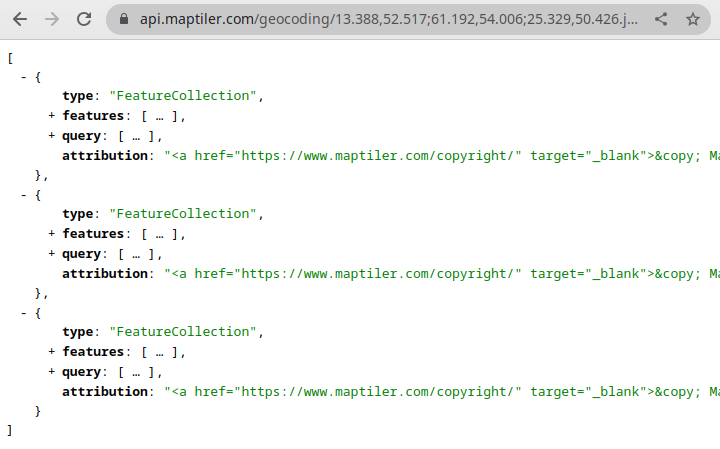
The result will be more GeoJSON-encoded features in a single response - each input will get it’s own GeoJSON object.
For more details, go to the batch geocoding API documentation.
Batch geocoding is also integrated into the MapTiler Client JS library for easier use.
const maptilerclient = await import("@maptiler/client");
maptilerclient.config.apiKey = "YOUR_MAPTILER_API_KEY";

const batchResults = await maptilerclient.geocoding.batch(['berlin', 'paris', 'london']);
const reverseBatchResults = await maptilerclient.geocoding.batch([[13.388,52.517],[61.192,54.006],[25.329,50.426]]);

//Using semicolons ;
const result = await maptilerclient.geocoding.forward('berlin;paris;london');